

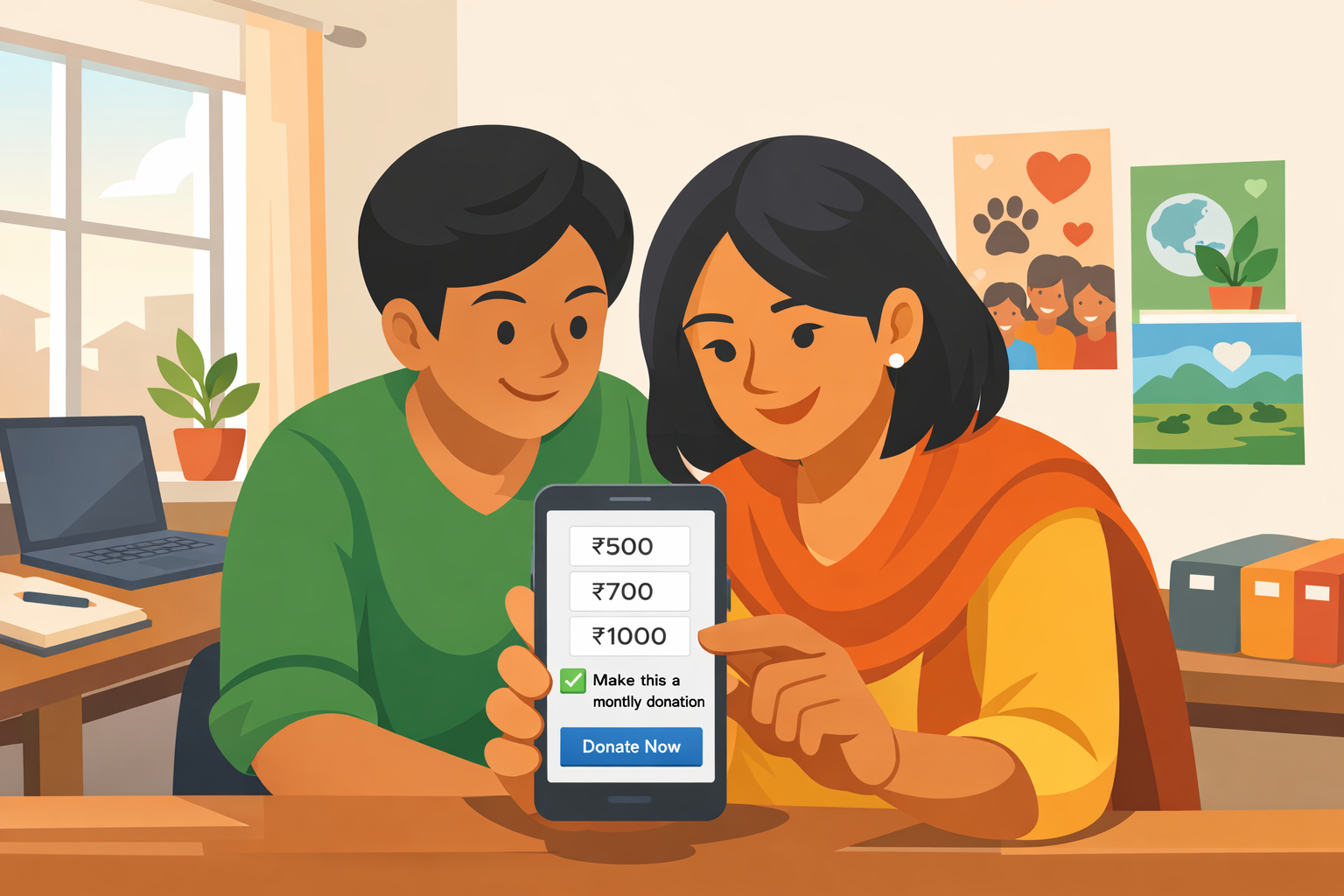
For most of my career in fundraising, I’ve seen one pattern repeat itself: good organisations doing powerful work, constantly short on predictable money. Not because people don’t care, but because we don’t have systems that turn one emotional moment into long‑term support. Monthly giving is one of the simplest and most powerful ways to fix that for Indian NGOs.
In this blog, I’ll walk you through how an NGO in India can set up a monthly/recurring giving donation page and start acquiring retail donors from open markets, step by step, without a big tech team.
Why Monthly Giving Changes Everything !
When I look back at programmes where we built strong individual donor bases, there’s one common thread: a solid monthly giving engine sitting quietly in the background. It doesn’t give you headlines overnight, but it transforms how you plan, hire, and grow.
Here’s why monthly giving is so powerful for Indian NGOs:
- Predictable cash flow
Instead of living from grant to grant or campaign to campaign, monthly giving creates a baseline you can count on every month. That stability lets you commit more confidently to salaries, rent, field teams, and long‑term programmes. - Lower long‑term fundraising costs
Once you’ve acquired a monthly donor, their support usually lasts for months or years. Your cost per rupee raised keeps improving over time compared to only chasing one‑time donations. - A better, easier donor experience
With UPI Autopay and bank e‑mandates, donors approve once and their monthly support runs automatically, with full control to pause or cancel when they want. It respects their time and habits while supporting your mission consistently. - Higher lifetime value
A ₹700 monthly donor who stays for three years contributes ₹25,200 – much more than scattered one‑time gifts of ₹1,000 or ₹2,000 that most NGOs focus on. When you multiply that across hundreds or thousands of donors, it changes the organisation’s future.
In simple terms, monthly giving is the difference between “hoping” money comes and “knowing” a part of it will come.
Making Sense of the Tech: UPI Autopay and E‑Mandates in Plain Language
Many NGOs hesitate because the jargon sounds intimidating: subscriptions, UPI Autopay, eNACH, mandates. Let’s strip it down.
- UPI Autopay
The donor uses their UPI app (GPay, PhonePe, Paytm, etc.) to approve a monthly debit once. After that, the amount is deducted automatically every month on the set date, and they get alerts from the bank and app. - Bank e‑mandate / eNACH
This is like the SIP or EMI system we’ve all seen: a recurring debit directly from the donor’s bank account authorised through netbanking. It’s very stable and works especially well for higher monthly amounts. - Subscription plan
Inside your payment gateway dashboard, you create “plans” such as “₹500/month – Support a child” or “₹10,000/month – Founder Circle”, where you define the amount and billing frequency. - Donation page / payment page
This is the web page (often no‑code) your gateway gives you, where the donor selects an amount, fills details, and authorises the recurring payment. If you’ve ever set up a SIP with your bank, monthly giving through these tools is essentially the same idea – just that the “investment” is in your impact, not a mutual fund.
Step by Step: Setting Up Your Monthly Giving Donation Page
Let’s convert all of this into a sequence you can actually implement. I’ll use Razorpay language as an example because many NGOs already use it, but the logic is similar with others like CCAvenue.
Back‑Office Setup: Laying the Rails ! This is the part you do once before you show anything to donors.
- Get your payment gateway ready
- Complete KYC, ensure your NGO’s account is live and can accept donations.
- Ask the gateway to enable “Subscriptions” and UPI Autopay / e‑mandate (often called eNACH/eMandate) for your account.
- Create your monthly giving plans
- Log in to the dashboard → go to Subscriptions → Plans → New Plan.
- Give each plan a clear name and description, for example “Monthly Animal Care – ₹700” with a short line like “Food, medicine and shelter for one animal every month.”
- Set the billing frequency as monthly and enter the exact amount.
- Save and note the plan IDs in your internal tracker.
- Build your donation page
- Use the gateway’s Payment Page / Donation template to create a branded monthly giving page.
- Turn on the “Recurring / Subscription” option for your monthly donation item so the system knows this is not a one‑time payment.
- Add key fields: Name, Email, Mobile, PAN (if you’re issuing 80G receipts), and Address if needed.
- Keep the layout extremely mobile‑friendly and minimal – most donors will be using their phones.
Think of this layer as laying the tracks. Once it’s done, your team can send one simple link to donors and the system will manage all the complex bits in the background.
What the Donor Actually Experiences !
Once your setup is done, the focus shifts to the donor journey. I like to think of it in two flows: UPI Autopay for regular retail donors, and bank e‑mandates for more committed, higher‑value supporters.
- UPI Autopay Monthly Donor (₹300–₹2,000/month)
This is your workhorse for open‑market, mass retail giving.
Here’s how it typically goes:
- We share our monthly giving link with the donor over WhatsApp, SMS, social media, or they click it on our website.
- The donor opens the page, selects a monthly amount from suggested options (₹500, ₹700, ₹1,000) or enters a custom amount, and marks it as a monthly donation.
- They fill in their details: Name, Email, Mobile, and PAN if they want an 80G receipt.
- On the payment screen, they choose UPI as the payment method.
- Their UPI app opens with a mandate request that clearly shows our NGO name, monthly amount, start date and frequency.
- They approve once with their UPI PIN, and the monthly debit is now set up.
In a telecalling or WhatsApp‑assisted journey, our fundraiser’s script is as important as the tech. Simple, reassuring lines like “You can change or stop this anytime in the future” reduce anxiety and increase conversions.
- Bank E‑Mandate Donor (₹3,000+/month)
For more committed donors or higher ticket sizes, we often use a bank e‑mandate flow.
- We send the donor a special subscription link or direct them to a “Founders Circle” or “Inner Circle” page where the bank mandate option is available.
- They choose a plan such as ₹3,000, ₹5,000 or ₹10,000 per month and fill in contact and PAN details.
- On checkout, they select Netbanking / Bank Account (eMandate) as the payment mode.
- They are redirected to their bank’s netbanking portal to authorise the recurring debit – very similar to how they’d authorise a SIP or EMI.
- Once the bank confirms, the mandate is registered and the subscription becomes active or “pending first charge” based on your configuration.
Here, we make it a point to explain control clearly: “You remain fully in control. You can pause or stop the debits through your bank or by telling us, and we’ll help with the process.”
The Invisible Work: Follow‑Up and Donor Care
I’ve seen many NGOs do the hard work of setting up tech and running campaigns, and then silently lose monthly donors because the internal systems are weak. Monthly giving is not just a payment flow; it’s a relationship.
Here are the essentials we always put in place:
- Strong records
Every monthly donor entry in our CRM must have the Subscription ID, mandate type (UPI Autopay or bank e‑mandate), amount, start date, and next charge date. This is basic hygiene if you want to troubleshoot later. - Automated communication
- A warm welcome email/SMS that thanks them specifically as a “monthly supporter”, explains what will happen next, and how they can contact us.
- Monthly or quarterly impact updates so they see the difference their stable support is making.
- An annual 80G summary or tax statement with clear instructions.
- Monitoring and reactivation
- We regularly check the subscription dashboard for failed debits, mandate cancellations, and expiries.
- When a debit fails, our team has a simple, respectful reactivation script ready – usually a call or WhatsApp: “Your bank couldn’t process this month’s donation, would you like us to share the link again or help you update your details?”
This is where training your fundraisers and back‑office team really pays off. A few well‑designed SOPs can save dozens of donors every year.
Designing a Donor‑Friendly Monthly Giving Page
Beyond the tech, your page itself can either invite people in or quietly push them away. Over the years, a few design principles have helped us consistently.
- Clear emotional promise
In one simple line, we explain what their monthly support makes possible: “₹700/month feeds and treats one rescued animal every month” or “₹500/month keeps one child safe and in school.” - Suggested slabs with meaning
Instead of just a blank “enter amount”, we usually show three to four suggested amounts with small impact labels. It guides donors who are unsure. - Monthly by default
Where possible, we keep “Make this a monthly donation” pre‑selected (with the option to switch to one‑time) so monthly becomes the norm, not the exception. - Mobile‑first layout
Big buttons, minimal typing, and no unnecessary fields dramatically improve completion rates on phones. - Trust signals
We always highlight 80G eligibility, show a short privacy/data security note, and keep the payment gateway logo visible. A short testimonial or impact quote can also make a difference. - Human, simple language
Instead of talking about “subscriptions”, we speak about “automatic monthly donations” and always reassure donors that they can change or stop them anytime.
You don’t need a fancy design agency for this. Even a simple, clean page that applies these principles can outperform a cluttered, “creative” but confusing layout.
How We Actually Get Monthly Donors From Open Markets
Once your page is live, the question becomes: how do you bring the right people to it? Here are some practical channels that have worked well in Indian contexts.
- Website and blog
The “Become a Monthly Donor” button sits in our main menu, homepage, and at the end of high‑traffic blog posts and stories. - Social media
We create posts and short videos that explain the power of monthly giving in simple, visual ways, always linking back to the monthly giving page. For example, a reel contrasting “one‑time donation” vs “monthly guardian”. - WhatsApp
Our fundraisers and leadership use WhatsApp heavily – after any positive conversation, we share the monthly giving link with a short, personalised message. Existing one‑time donors are often the best prospects to invite to monthly support. - QR codes
At events, on standees, brochures, and even ID cards, QR codes that directly open the monthly giving page remove friction and make sign‑ups quick. - Email
Every thank‑you email to a one‑time donor includes a “Switch to Monthly Giving” call to action, positioned as a way to deepen impact rather than just give more money.
You don’t need to do everything at once. Start with 2–3 channels that match your current strengths and gradually scale.
Common Pitfalls (And How to Avoid Them)
Let me end with a few honest warnings I’ve seen play out across organisations.
- Treating monthly giving as an afterthought
If you hide the monthly option behind a small checkbox or never promote it actively, it will remain marginal. Monthly giving needs intentional focus, targets, and space in your campaigns. - Overcomplicating forms
Long, cluttered forms kill conversions. Collect only what you absolutely need to process the donation and issue 80G; you can always deepen the profile later. - Weak post‑sign‑up experience
If a donor sets up a mandate and then hears nothing from you for six months, cancellation is almost guaranteed. Communication and care are part of the product. - No clear ownership
Monthly giving needs an owner – a person or small team responsible for monitoring mandates, fixing issues, and nurturing these donors. When it becomes “everyone’s job”, it becomes no one’s job.
The good news is that none of this is rocket science. Even a small NGO can start with one simple monthly plan, a clear page, and basic follow‑up, then build from there. Over time, that quiet, patient work creates something every organisation dream of: a community of people who stand with you every single month.
If you’re trying to do this for your organisation and feel stuck – whether it’s on tech, scripts, or team training – this is exactly the kind of work I love helping with.
Written by Deb who is a social impact worker and part of letzrise team and stays in Bengaluru.